React Reducer
React reducer is more important than you imagine
Reduce Function
The reduce function in javascript is one of the main in-built functions like map or filter. It may sound confusion but the concept behind it powers many react hooks and functions, most notably useState. Lets see how everything is connected.
First lets review how reduce function in javascript works
const array = [1, 2, 3, 4, 5];

const SumArrayValue = array.reduce((acc, curr) => {
  return acc + curr;
}, 0);

console.log("SumArrayValue: ", SumArrayValue);
The bahavior of function is simple. It has an inital value (inital state), the data in array (some items to begin with) and data is then looped to sum up the values in the array, starting with an inital value. The same concept is used in React Redux library. But before jumping into how reduce function can be used, lets look into a simple usestate case.
Counter based on useState
This is a simple counter which can be incremented and decremented. The state of the current component is managed via useState. The state is made to change making use of setCounter. Nothing new here for an average React developer.
import { useState } from "react";
import styles from "./styles.module.css";

const UseStateComponent = () => {
  const [count, setCount] = useState(0);

  const IncreaseCount = (count: number) => {
    setCount((prev) => prev + count);
  };

  const DecreaseCount = (count: number) => {
    if (count >= 1) {
      setCount((prev) => prev - count);
    }
  };

  return (
    <div className={styles.wrapper}>
      <div className={styles.btnGroup}>
        <button className={styles.btnComp} onClick={() => DecreaseCount(1)}>
          -1
        </button>
        <button className={styles.btnComp} onClick={() => DecreaseCount(2)}>
          -2
        </button>
        <button className={styles.btnComp} onClick={() => DecreaseCount(3)}>
          -3
        </button>
      </div>

      <div>
        <h2>Use-State component</h2>
        <p>Count: {count}</p>
      </div>

      <div className={styles.btnGroup}>
        <button className={styles.btnComp} onClick={() => IncreaseCount(1)}>
          +1
        </button>
        <button className={styles.btnComp} onClick={() => IncreaseCount(2)}>
          +2
        </button>
        <button className={styles.btnComp} onClick={() => IncreaseCount(3)}>
          +3
        </button>
      </div>
    </div>
  );
};

export default UseStateComponent;
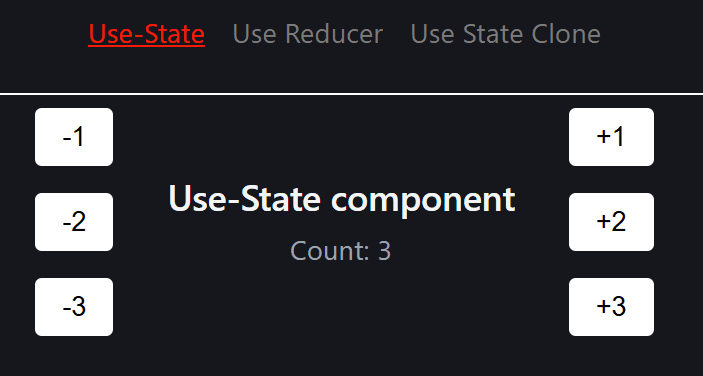
The component rendered is like this: User can clicks any white button to increase or decrease the initial count by the values on button. For example, in the image below, counter was increase from value of 0 to 3.
Now can we implement same functinality using reduce. Surprisingly, yes. Lets see how.
Counter based on useReducer
The react answer to javascript's reduce function is the hook of useReducer which works along the same principles and has same terms.
Lets start with an inital state. The initial state is simply what we pass as an argument into useState.
import { useReducer } from "react";
import styles from "./styles.module.css";

const UseReducerComponent = () => {
  const initialState = {
    count: 0,
  };

  return <div className={styles.wrapper}>{/* something here */}</div>;
};

export default UseReducerComponent;
Now that we have defined inital state, lets define a reducer. The is the central command center. Think of it like an advanced if-else block (except that it uses switch) which gets some data, makes decision based on that data and then return the right response. Whatever different use-cases are possible, everything is coded here. Its the brain making decision.
import { useReducer } from "react";
import styles from "./styles.module.css";

const UseReducerComponent = () => {
  const initialState = {
    count: 0,
  };

  const reducer = (
    state: { count: number },
    action: { type: string; payload: number },
  ) => {
    switch (action.type) {
      case "INCREMENT":
        return { ...state, count: state.count + action.payload };
      case "DECREMENT":
        return { ...state, count: state.count - action.payload };
      default:
        return state;
    }
  };

  return <div className={styles.wrapper}>{/* something here */}</div>;
};

export default UseReducerComponent;
Now that these two components are out of our way, how these fit into the puzzle?
These two components fits into useReducer hook.
import { useReducer } from "react";
import styles from "./styles.module.css";

const UseReducerComponent = () => {
  const initialState = {
    count: 0,
  };

  const reducer = (
    state: { count: number },
    action: { type: string; payload: number },
  ) => {
    switch (action.type) {
      case "INCREMENT":
        return { ...state, count: state.count + action.payload };
      case "DECREMENT":
        return { ...state, count: state.count - action.payload };
      default:
        return state;
    }
  };

  const [state, dispatch] = useReducer(reducer, initialState);

  return <div className={styles.wrapper}>{/* something here */}</div>;
};

export default UseReducerComponent;
The arguments of useReducer hook takes in reducer component (much like logic of acc + curr in simple reduce function) and intial state (similar to what was defined at end of reduce function). The left side of useReducer provides current state, and a dispatch function. Dispatch funciton is similar to what setState does in useState but here dispatch is constrained, as dispatch can only act on use cases defined in reducer above.
import { useReducer } from "react";
import styles from "./styles.module.css";

const UseReducerComponent = () => {
  const initialState = {
    count: 0,
  };

  const reducer = (
    state: { count: number },
    action: { type: string; payload: number },
  ) => {
    switch (action.type) {
      case "INCREMENT":
        return { ...state, count: state.count + action.payload };
      case "DECREMENT":
        return { ...state, count: state.count - action.payload };
      default:
        return state;
    }
  };

  const [state, dispatch] = useReducer(reducer, initialState);

  const IncreaseCount = (count: number) => {
    dispatch({ type: "INCREMENT", payload: count });
  };

  const DecreaseCount = (count: number) => {
    if (state.count >= 1) {
      dispatch({ type: "DECREMENT", payload: count });
    }
  };

  return <div className={styles.wrapper}>{/* something here */}</div>;
};

export default UseReducerComponent;
As we can see, the dispatch has to define a type which must match the exact conditions provided in reduce switch cases. Payload is optional, depending on use case. It may be present or may not be present.
The completed component is as follows:
import { useReducer } from "react";
import styles from "./styles.module.css";

const UseReducerComponent = () => {
  const initialState = {
    count: 0,
  };

  const reducer = (
    state: { count: number },
    action: { type: string; payload: number },
  ) => {
    switch (action.type) {
      case "INCREMENT":
        return { ...state, count: state.count + action.payload };
      case "DECREMENT":
        return { ...state, count: state.count - action.payload };
      default:
        return state;
    }
  };

  const [state, dispatch] = useReducer(reducer, initialState);

  const IncreaseCount = (count: number) => {
    dispatch({ type: "INCREMENT", payload: count });
  };

  const DecreaseCount = (count: number) => {
    if (state.count >= 1) {
      dispatch({ type: "DECREMENT", payload: count });
    }
  };

  return (
       <div className={styles.wrapper}>
      <div className={styles.btnGroup}>
        <button className={styles.btnComp} onClick={() => DecreaseCount(1)}>
          -1
        </button>
        <button className={styles.btnComp} onClick={() => DecreaseCount(2)}>
          -2
        </button>
        <button className={styles.btnComp} onClick={() => DecreaseCount(3)}>
          -3
        </button>
      </div>

      <div>
        <h2>Use-Reducer Component</h2>

        <p>Count: {state.count}</p>
      </div>

      <div className={styles.btnGroup}>
        <button className={styles.btnComp} onClick={() => IncreaseCount(1)}>
          +1
        </button>
        <button className={styles.btnComp} onClick={() => IncreaseCount(2)}>
          +2
        </button>
        <button className={styles.btnComp} onClick={() => IncreaseCount(3)}>
          +3
        </button>
      </div>
    </div>
  );
};

export default UseReducerComponent;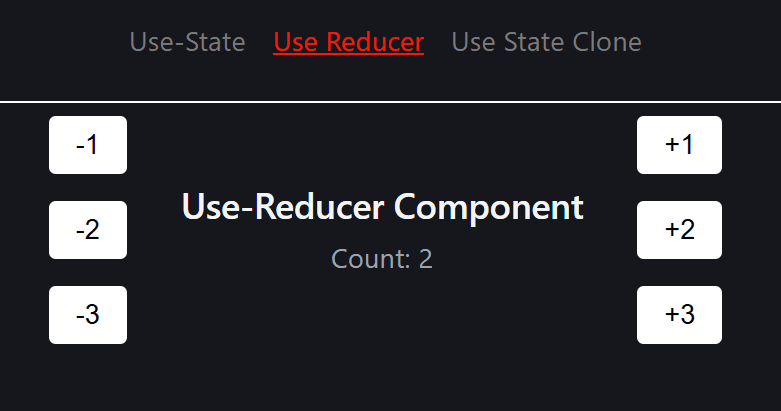
Hence the local state management that is managed by usestate can be managed by useReducer as well. There is a stark similarity, which begs the question what is internal structure of useState? Is it using the same logic under the hood? Can we create our own custom useState hook? Yes we can.
Custom UseState
A custom hook can be created which uses the same logic as useState but would be using useReducer under the hood. Pretty much the same what useState in react is doing.
import { useReducer } from "react";

type SetStateAction<T> = T | ((prevState: T) => T);
type Dispatch<T> = (value: SetStateAction<T>) => void;

export default useStateClone = <T>(initialState: T): readonly [T, Dispatch<T>] => {
  const reducer = (state: T, action: SetStateAction<T>) => {
    if (typeof action === "function") {
      return (action as (prevState: T) => T)(state);
    }

    return action;
  };

  const [state, dispatch] = useReducer(reducer, initialState);

  return [state, dispatch];
};
The hook uses useReducer rather than useState and takes in same inputs: It takes an initial state, and a generic reducer is defined within the hook. It takes in a generic state and action and return an action. These both are fed into useReducer hook which gives back current state and a dispatch function. And so this hook can be used in place of useState which would perform the same way.
// import { useState } from "react";
import useStateClone from "../../hooks/useStateClone.hooks";
import styles from "./styles.module.css";

const UseStateClone = () => {
  //   const [count, setCount] = useState(0);
  const [count, setCount] = useStateClone(0);

  //   const IncreaseCount = (countNum: number) => {
  //     setCount(count + countNum);
  //   };

  // const DecreaseCount = (countNum: number) => {
  //   if (count >= 1) {
  //     setCount(count - countNum);
  //   }
  // };

  const IncreaseCount = (countNum: number) => {
    setCount((prev: number) => prev + countNum);
  };

  const DecreaseCount = (countNum: number) => {
    if (count >= 1) {
      setCount((prev: number) => prev - countNum);
    }
  };

  return (
    <div className={styles.wrapper}>
      <div className={styles.btnGroup}>
        <button className={styles.btnComp} onClick={() => DecreaseCount(1)}>
          -1
        </button>
        <button className={styles.btnComp} onClick={() => DecreaseCount(2)}>
          -2
        </button>
        <button className={styles.btnComp} onClick={() => DecreaseCount(3)}>
          -3
        </button>
      </div>

      <div>
        <h2>Use-State Clone Component</h2>
        <p>Count: {count}</p>
      </div>

      <div className={styles.btnGroup}>
        <button className={styles.btnComp} onClick={() => IncreaseCount(1)}>
          +1
        </button>
        <button className={styles.btnComp} onClick={() => IncreaseCount(2)}>
          +2
        </button>
        <button className={styles.btnComp} onClick={() => IncreaseCount(3)}>
          +3
        </button>
      </div>
    </div>
  );
};

export default UseStateCloneComponent;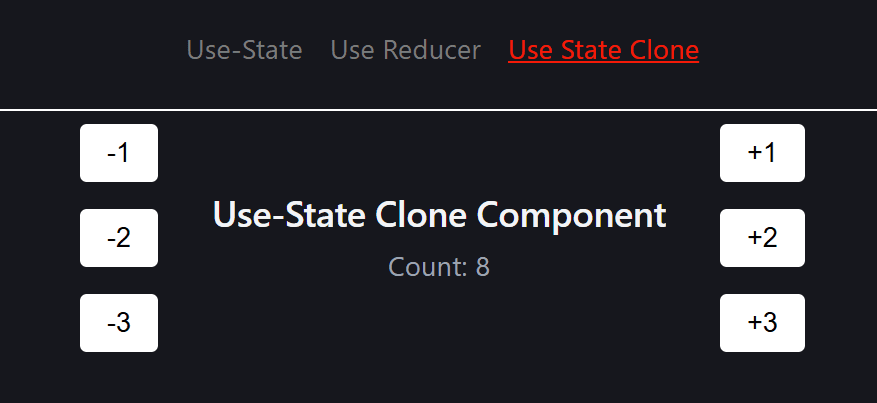
Summary
- Local state management that is managed by usestate can be managed by useReducer as well.
- UseState is syntethic sugar coated over useReducer.